Logging
Module for overseeing everything happening in your server
The Logging Module allows you to keep track of all server related events such as moderation, channel and member events.
It boasts over 70 events that can be logged and configured!
Looking for help setting up some logging? See our Tutorial with full details: Building Your Logging System!.
Please note this guide is being rewritten and is outdated.
Log Policy & Default Channel
Default channel lets you configure where logs are sent unless otherwise configured. Meanwhile, logging policy lets you configure when to send the log messages. It has the following modes:
- Always | Always send the log message.
- Attributed only | Only send the log message if the author is known.
- Off | Never send the log message.

Log Events
Logs are broken into log events. Each event is one specific log, like message deleted. Log events are further broken down into relevant categories. Categories let you configure where the log events under them should be sent and when they should be sent. Each log event can also overwrite category settings to allow a specific log to use its own settings.
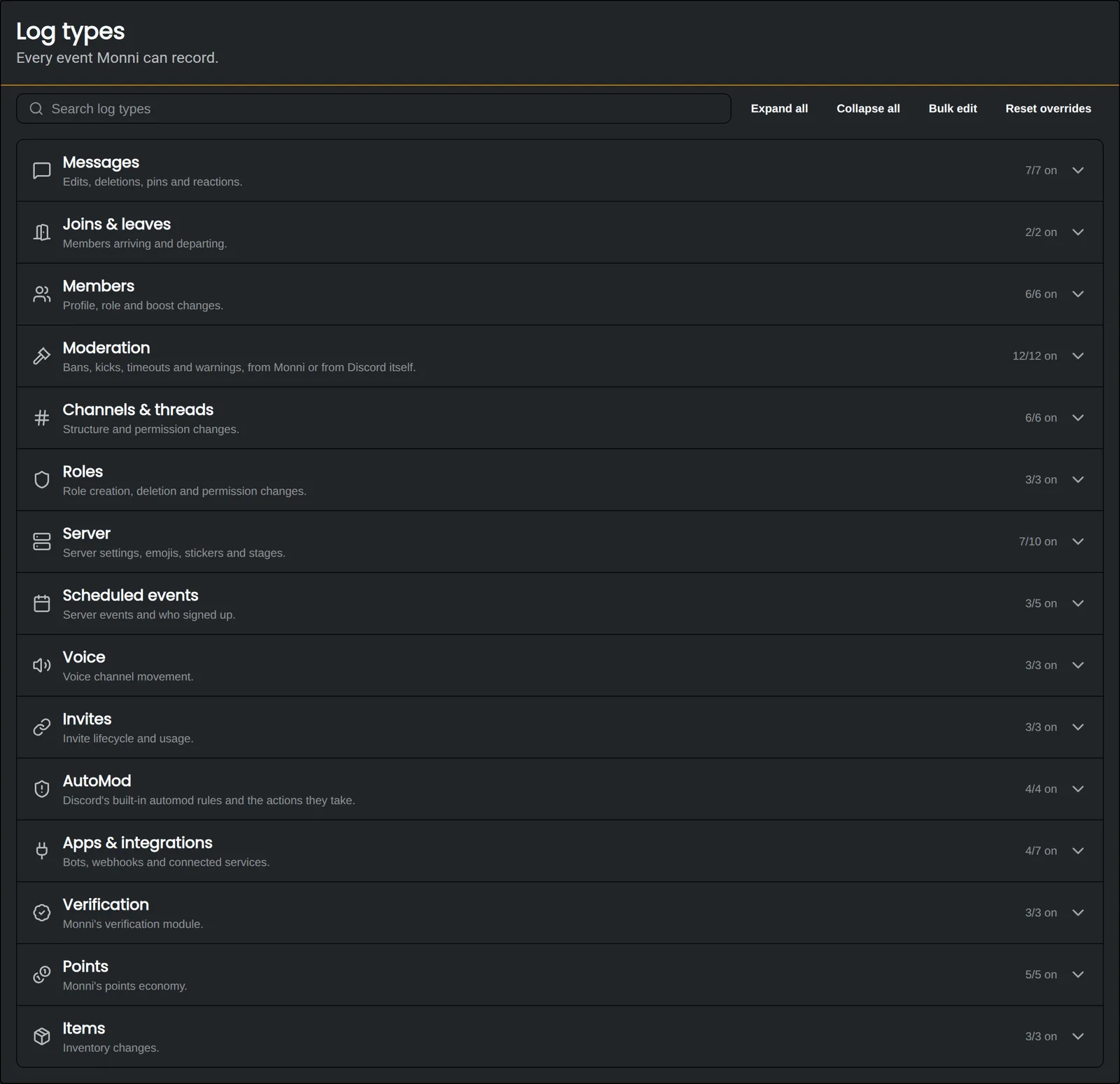
Logging supports linked channels, which let you set the channel to another Discord server or a special channel like a thread.
Log Specific Settings
Message Edit & Delete Content
You can disable message content logging under the respective log events. This may be useful if you need to comply with privacy laws or aren't comfortable logging what your members send.
Bulk Delete Attach Deleted Messages
Include the messages from the purge command and other bulk message deletions as a txt file.
Not all of the settings are included in this list.
Filtering logs
You can further limit who gets logged by configuring Ignored sources. You can configure roles, channels and user IDs that will not show up in any logs which are sent.
Noisy bot logs
With Ignore message edits and deletions by bots you can ensure noisy logs generated by bots like message deletion and edits aren't sent.
Related Topics
Invite Tracking
See which invite every new member used to join your server, and who created it.